Employee Resources
2026 Benefits Booklet Summary
Paycor Login
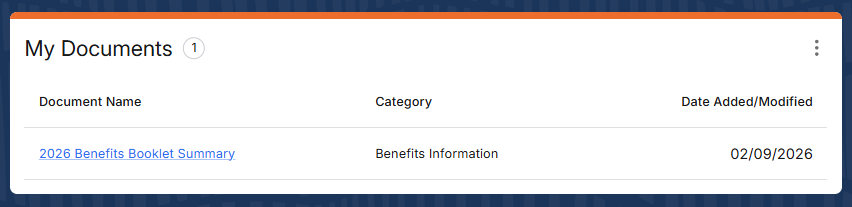
When logged in, scroll down and look for the My Documents panel near the bottom of the Dashboard page.
How to view the Benefits Booklet Summary
1. Log in to your Paycor account.
2. Once logged in, scroll down the Dashboard page.
3. Locate the My Documents panel near the bottom of the page.
4. Click the 2026 Benefits Booklet Summary link.
5. The 2026 Benefits Booklet Summary should appear as shown below:
2. Once logged in, scroll down the Dashboard page.
3. Locate the My Documents panel near the bottom of the page.
4. Click the 2026 Benefits Booklet Summary link.
5. The 2026 Benefits Booklet Summary should appear as shown below: